IPTVKZ PT Download free

Free · No ads · No sign-up

The IPTV player that's free and still great.

M3U and Xtream lists set up with a QR Code, a streaming-style look, guide, movies and series. What other apps lock behind a subscription is free here.

The app interface is in Brazilian Portuguese for now.

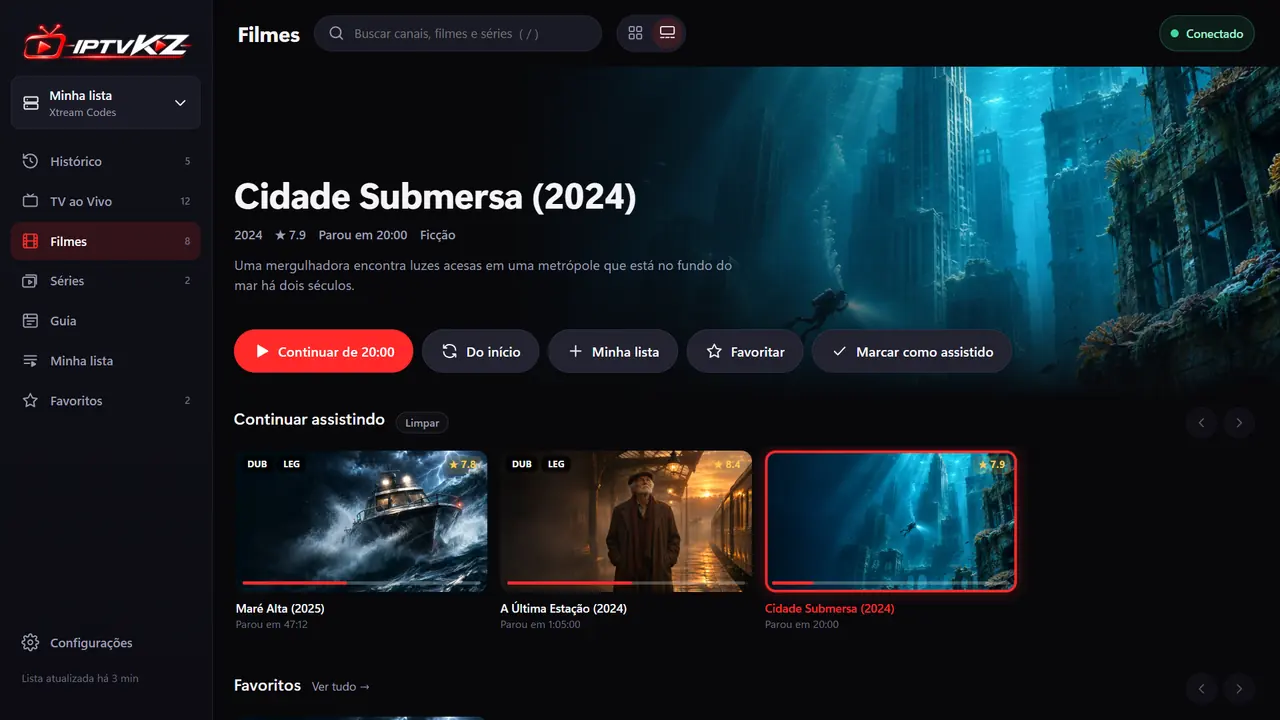
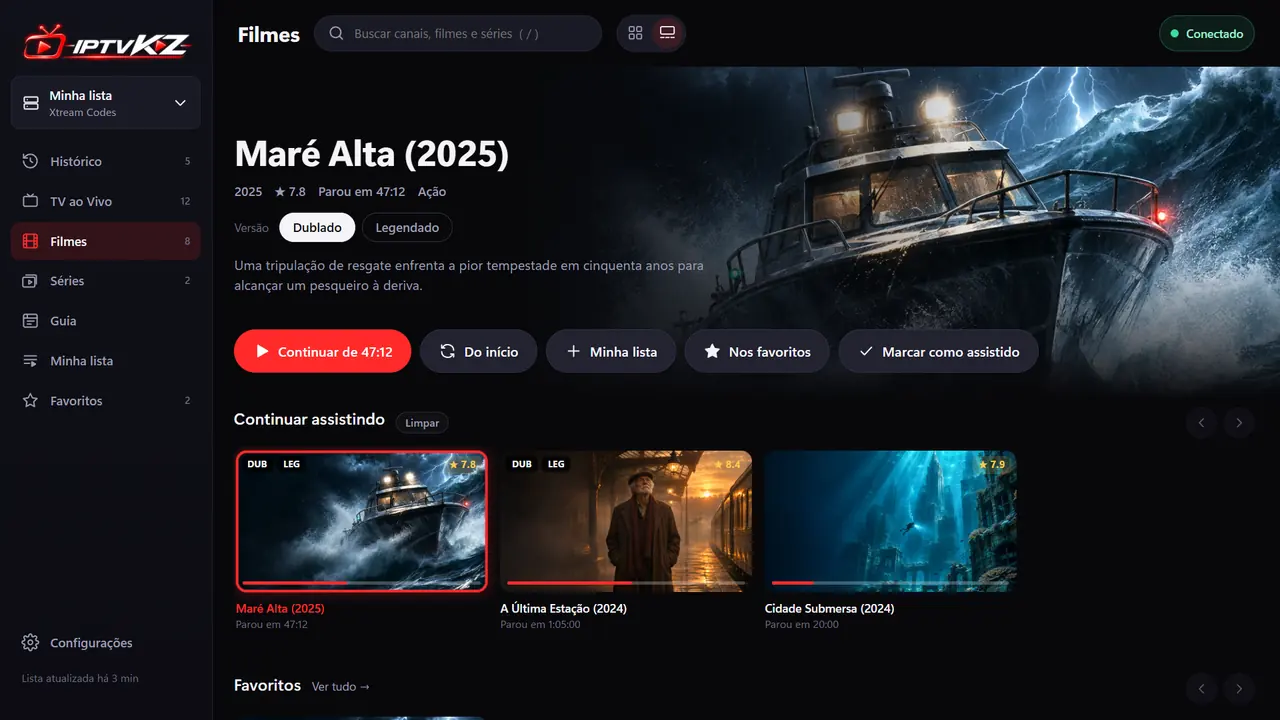
The app has two looks. Try them:
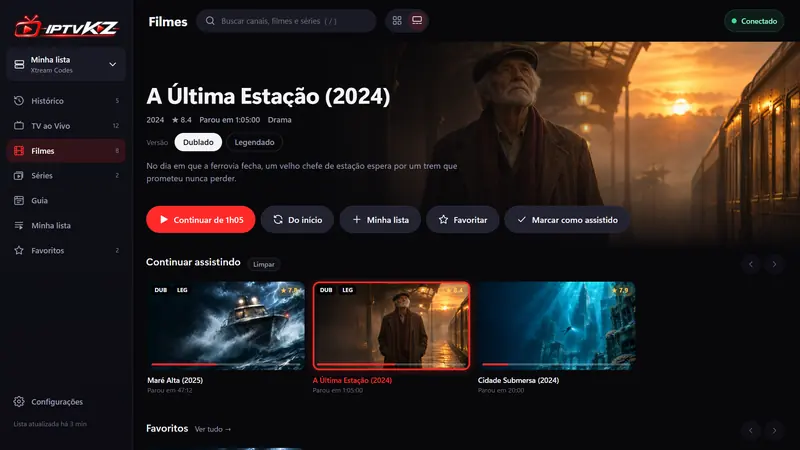
IPTVKZ in the Streaming view: a fictional movie in the spotlight, buttons and the Continue watching row
Fictional movies. IPTVKZ is just the player: the lists are yours.

Actually free. No subscription, no ads and no sign-up.

Lists by QR Code. Point your phone camera and link it to the TV.

Built not to lag. Loads your list smoothly and moves fast with the remote, even on older TVs.

Paid-app features. Zero price.

Nothing is locked behind a subscription. Download it and everything is unlocked.

No more typing letter by letter

Point your phone. Your list lands on the TV.

Typing a list URL with a remote takes about 445 clicks. Here, the TV shows a QR Code, you fill it in on your phone and tap send. It goes straight to the TV over your home network, without passing through any server.

In the LG and Android TV apps, with the phone on the same Wi-Fi. The code is valid for 15 minutes and works only once. Clicks estimated on a QWERTY TV keyboard.
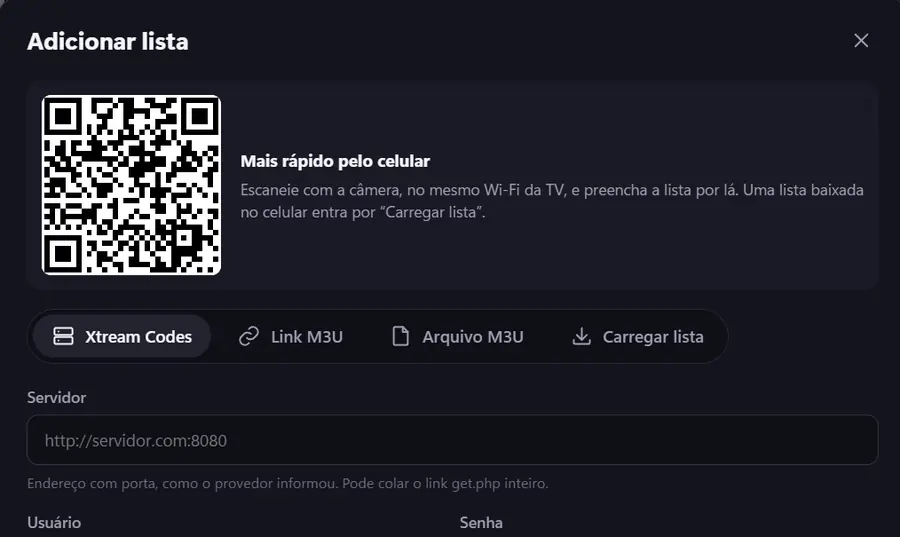
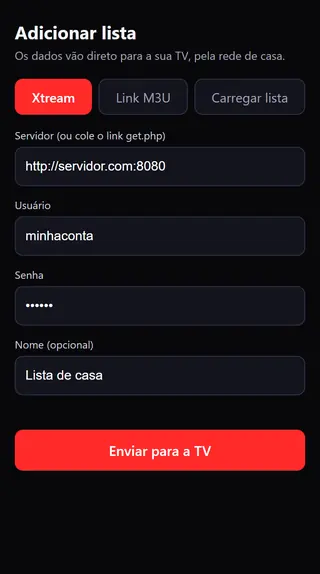
Add list screen on the TV, with the QR Code Form on the phone with the Send to TV button

Your way

Streaming look or classic grid? You choose.

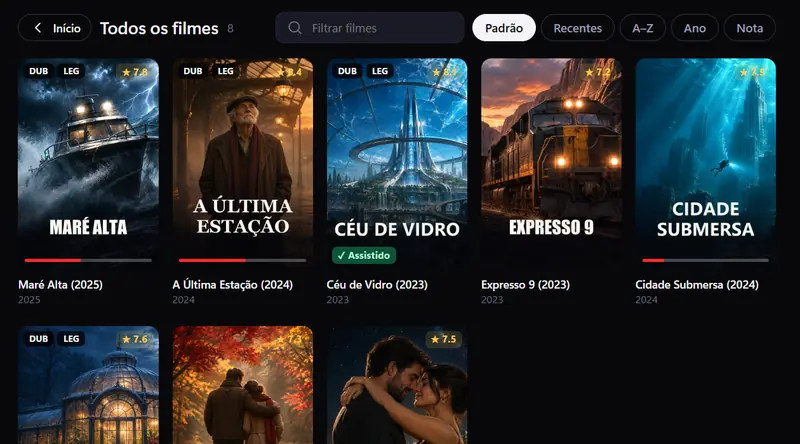
A large spotlight with synopsis and rows of cards, or the classic grid. Switch with one tap, next to search.

Classic view with a grid of fictional movies Streaming view with a fictional movie in the spotlight

Live TV

Zap without leaving full screen.

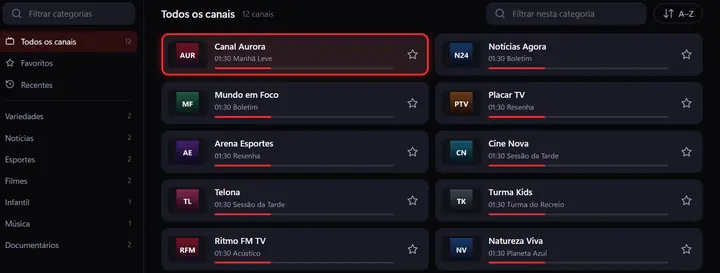
Favorites, categories and a guide that shows what's on now and what's next.

List of fictional channels with the current program of each one

Continue watching

Stopped at minute 47? Pick up at minute 47.

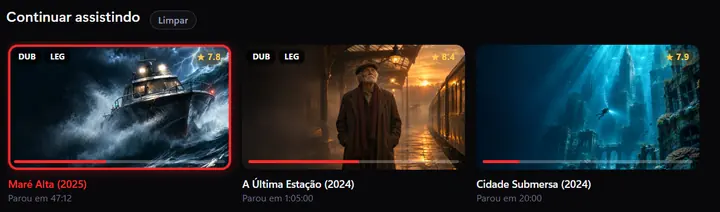
Movies and series resume where you left off, and the next episode starts on its own.

Continue watching row with progress bars

Dubbed or subtitled

One card for both versions. No more duplicate titles.

Parental control

A 4-digit PIN hides adult content on every device.

Switch TVs, keep everything

Your list, favorites and history move to the other device.

Big lists, no lag

Items load fast and everything runs smoothly on every device.

No premium plan. No ads. No locked features. The player is on us.

Works on the screen you already have.

  • LG webOSwebOS 4 or newer
  • Android TVand Google TV
  • Android7.0 or newer
  • Windowsinstaller or portable
  • macOSApple Silicon and Intel
  • LinuxAppImage and .deb

This good, and free.

Real IPTVKZ screens, with the app in Brazilian Portuguese. Movies and channels are fictional, because the app comes empty: the lists are yours.

Download now. It's free.

Version v1.2.1. No sign-up, no credit card, straight from the official releases.

Other devices

Android TV / Google TV

In the Downloader app, type iptvkz.kazamastudios.com.br and download the APK. Allow unknown sources. Works without a computer turned on.

Android phone

Android 7.0 or newer, used in landscape. Allow unknown sources in the app that opens the file.

iPhone or another TV

Use it in the browser. In the desktop app, open Configurações › TV e outros aparelhos › Permitir acesso pela rede de casa (Settings › TV and other devices › Allow access from the home network), then open the address shown. The computer must stay on.

IPTVKZ is free. If someone sold it to you, it's a scam. We don't sell lists, channels or subscriptions, and there is no paid version. Google Play and LG Content Store versions are on the way.

Help improve IPTVKZ.

Use it, tell us what's missing and point out what broke. The project is open and grows with the people who watch. If it helped you, a star brings IPTVKZ to more people.

Questions.

Is it really free? What's the catch?

There isn't one. IPTVKZ has no subscription, no ads, no sign-up and no paid version. The code is open too, for anyone who wants to check.

Does the app come with channels or lists?

No. IPTVKZ is just a player. You use the lists you add yourself and are responsible for what you add and watch. Only use content you have the right to watch. See the Terms of use.

What language is the app in?

The app interface is in Brazilian Portuguese for now. Lists in any language work, and audio and subtitle tracks come from what your list provides.

Do I need to keep a computer on?

Not with the LG, Android TV and Android apps, because everything runs on the device itself. The computer only needs to stay on if you watch in the browser of another device.

How do I update?

On LG and Android TV, the app checks for the latest version when it opens and updates itself. When the native part changes, Android offers the new APK and, on LG, you need to install the new .ipk. On the computer, download the new version from this page.

Where can I get help?

Tap Help, in the corner of the screen, for the most common answers. If that doesn't solve it, contact the team on the support page or write to [email protected]. Don't send links, usernames or passwords from your lists.